Dev tools2 min read
How to Test a Regular Expression Before It Breaks Production
Build and debug JavaScript regular expressions with live match highlighting, capture groups for each match, and a replace preview. Private, in your browser.
By the ZapMorph team
On this page
Just want it done?
Open the Regex Tester — it runs in your browser and nothing is uploaded.
Regular expressions are write-only code: easy to type, hard to read, and full of surprises. A pattern that works on your one example can quietly fail on real data. Testing against a realistic sample, with every match highlighted, catches that early.
How to test a regex with ZapMorph
1. Open the regex tester
Go to the regex tester.
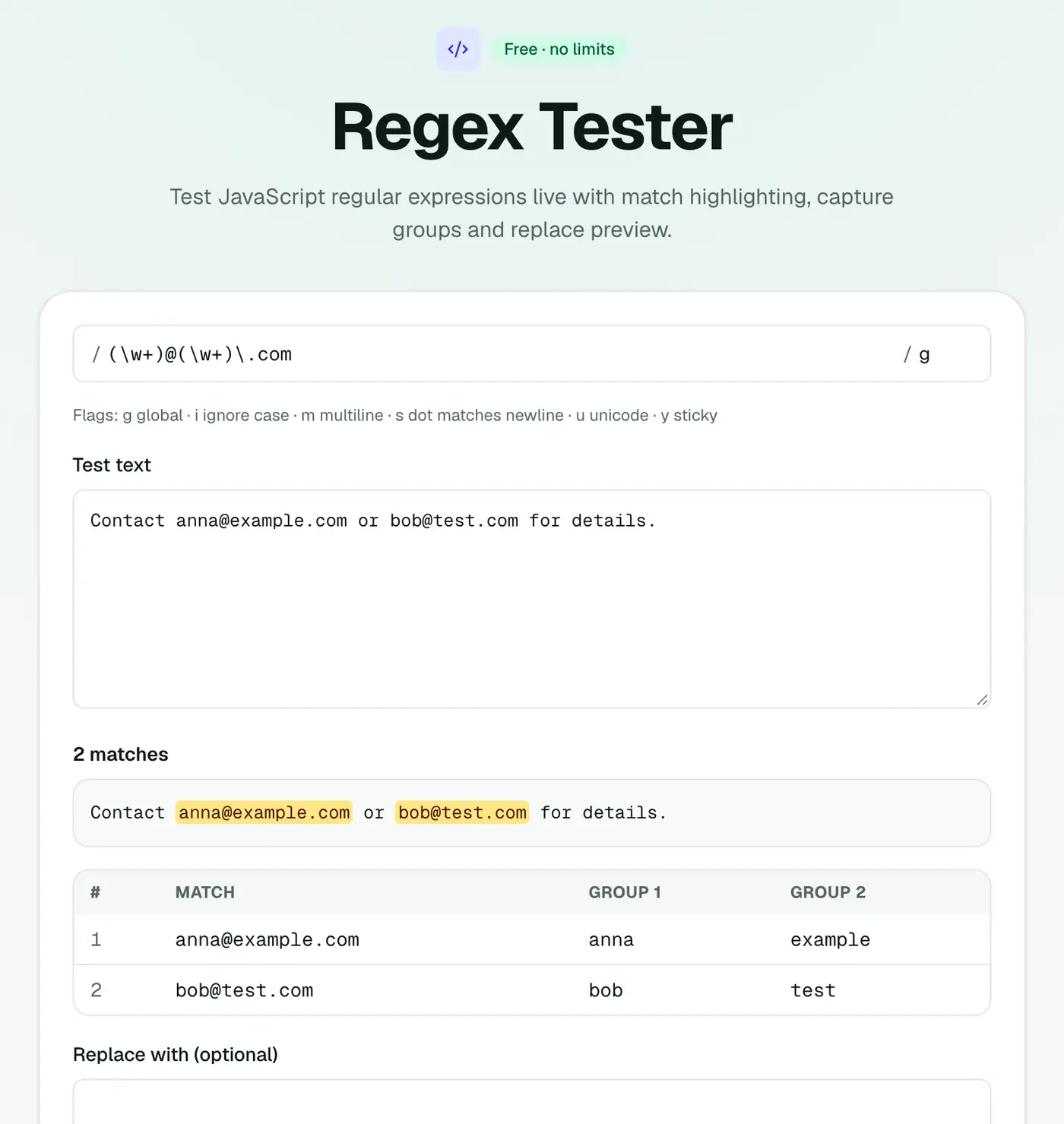
2. Enter a pattern and some test text
Type your pattern and flags, then paste sample text. Matches highlight as you type, and each match's capture groups are listed.
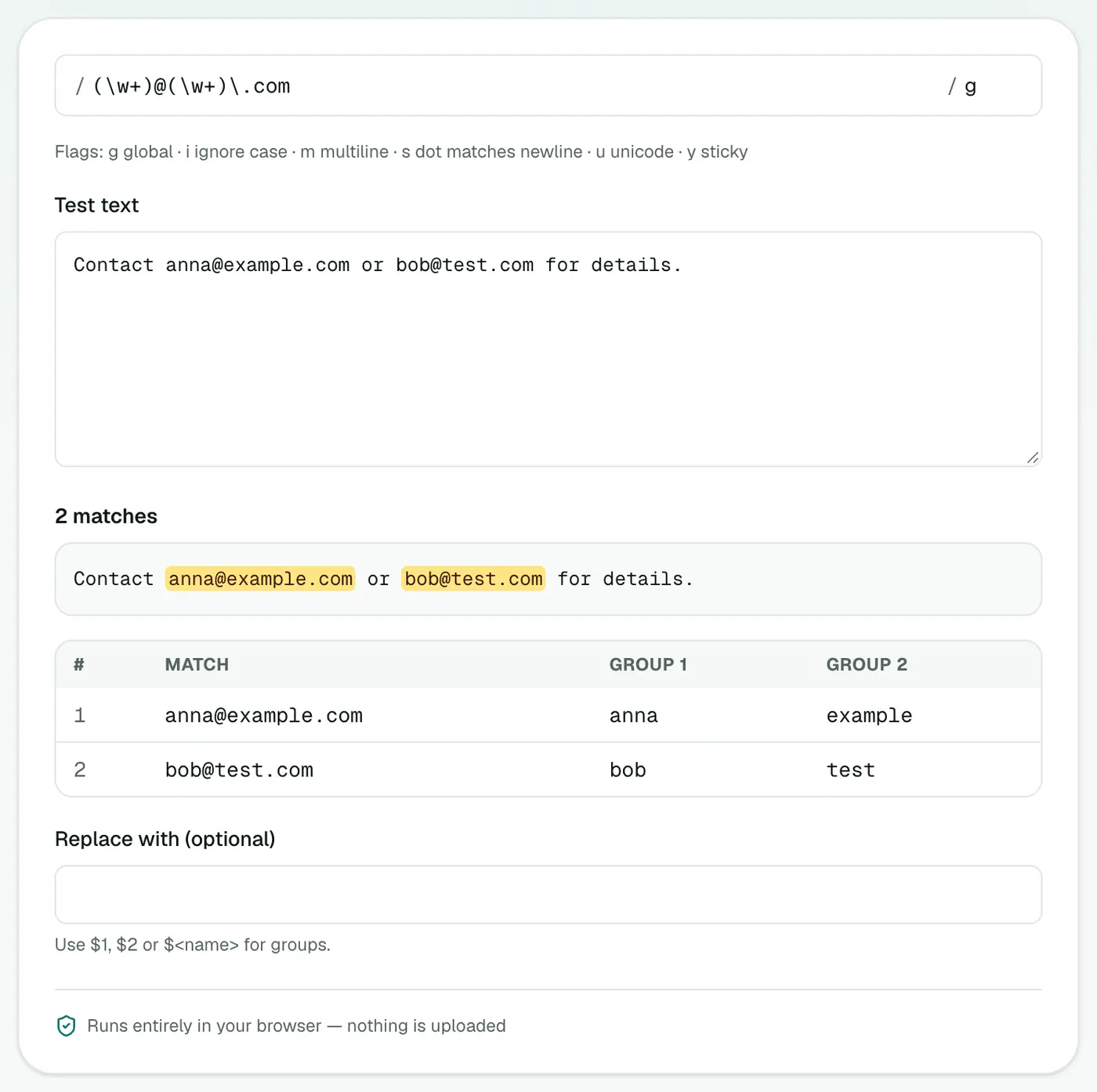
3. Try a replacement
Enter a replacement string to preview the result.
Patterns worth bookmarking
| Goal | Pattern |
|---|---|
| Rough email check | ^[^\s@]+@[^\s@]+\.[^\s@]+$ |
| ISO date (YYYY-MM-DD) | \b\d{4}-\d{2}-\d{2}\b |
| Trailing whitespace | [ \t]+$ (with the m flag) |
| Named groups for a date | (?<y>\d{4})-(?<m>\d{2})-(?<d>\d{2}) |
| Hex colour | #[0-9a-fA-F]{6}\b |
| Double spaces | {2,} |
| Digits only | ^\d+$ |
Cheat sheet
| Token | Matches |
|---|---|
. | Any character except a line break |
\d / \w / \s | Digit / word character / whitespace |
[abc] | One of a, b or c |
* / + / ? | 0 or more / 1 or more / optional |
{2,4} | Between 2 and 4 times |
^ / $ | Start / end |
( ) | Capture group |
(?: ) | Group without capturing |
\b | Word boundary |
Replacement example
Pattern (?<y>\d{4})-(?<m>\d{2})-(?<d>\d{2}), replacement $<d>/$<m>/$<y>, turns 2026-03-14 into 14/03/2026.
Tips
- Test with ugly data: empty lines, unicode, very long strings.
- Watch for greedy
.*. It often matches far more than you meant. Try.*?. - Anchor when validating (
^…$) so partial matches don't slip through. - Avoid catastrophic backtracking: nested quantifiers like
(a+)+can freeze on long input. - Don't validate everything with regex. Emails and URLs are better checked by sending a confirmation or using a parser.
Summary
The regex tester shows exactly what your pattern matches, so you can fix it before it ships.
FAQs
Which regex flavour does it use?
JavaScript, including named groups, lookbehind and flags like g, i, m, s and u.
Can I preview a replacement?
Yes. Enter a replacement string, including $1 or $<name> references, and see the result.
Will my test data be sent anywhere?
No. Everything runs in your browser.
Will my pattern work in Python or PHP?
Most everyday syntax is the same across languages. Differences show up in named groups (Python uses (?P<name>...)), lookbehind and some flags, so test in the target language too.
What do the flags mean?
g finds all matches, i ignores case, m makes ^ and $ match at each line, s lets . match line breaks, and u enables full Unicode.
Try the Regex Tester
Free to start, no install, and your files never leave your device.