Viewers2 min read
How to Open an OLM File on Windows (Outlook for Mac Archives)
Read Outlook for Mac .olm exports on Windows or any browser: browse folders, search emails and download attachments without importing or installing anything.
By the ZapMorph team
On this page
Just want it done?
Open the OLM Viewer — it runs in your browser and nothing is uploaded.
Outlook for Mac exports to .olm. Outlook for Windows can't read it, and neither can Apple Mail, Thunderbird or Gmail. If you've switched platforms, cancelled Microsoft 365, or a Mac-using colleague sent you their archive, the OLM viewer opens it in any browser.
What is an OLM file?
An OLM is the backup format Outlook for Mac creates when you choose Export. It can hold your mail, contacts, calendar, tasks and notes in one file. Underneath, it's a ZIP archive full of XML files in Microsoft's own layout. That's why renaming it to .zip shows thousands of files but nothing you can actually read.
Common reasons people end up with one:
- Moving from Mac to Windows and finding Outlook for Windows won't import it.
- An IT department or former employer handed over an export after an account was closed.
- A legal or accounting request for emails from a specific period.
- An old backup from a Mac that no longer exists.
How to open an OLM with ZapMorph
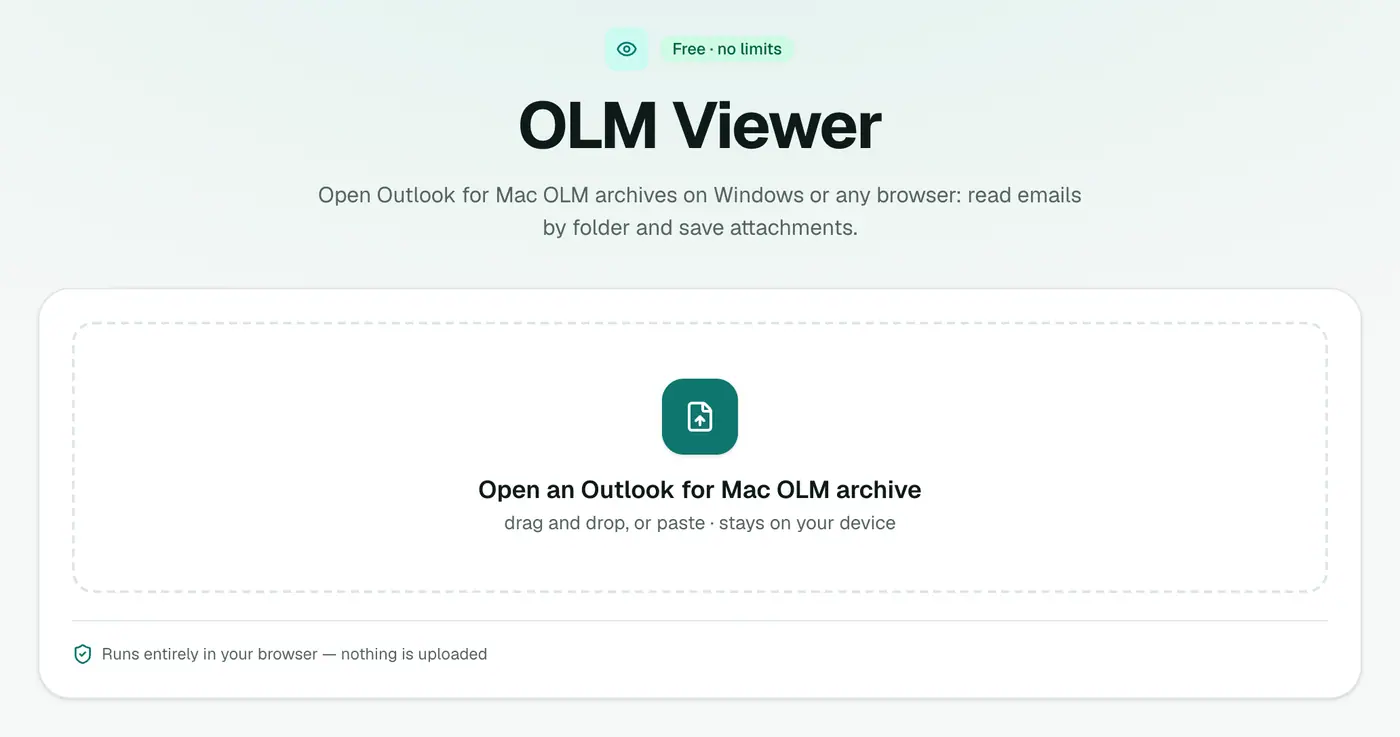
1. Open the OLM viewer
Go to the OLM viewer. It works in Chrome, Edge, Safari and Firefox, on Windows, Mac, Linux and ChromeOS.
2. Open your OLM
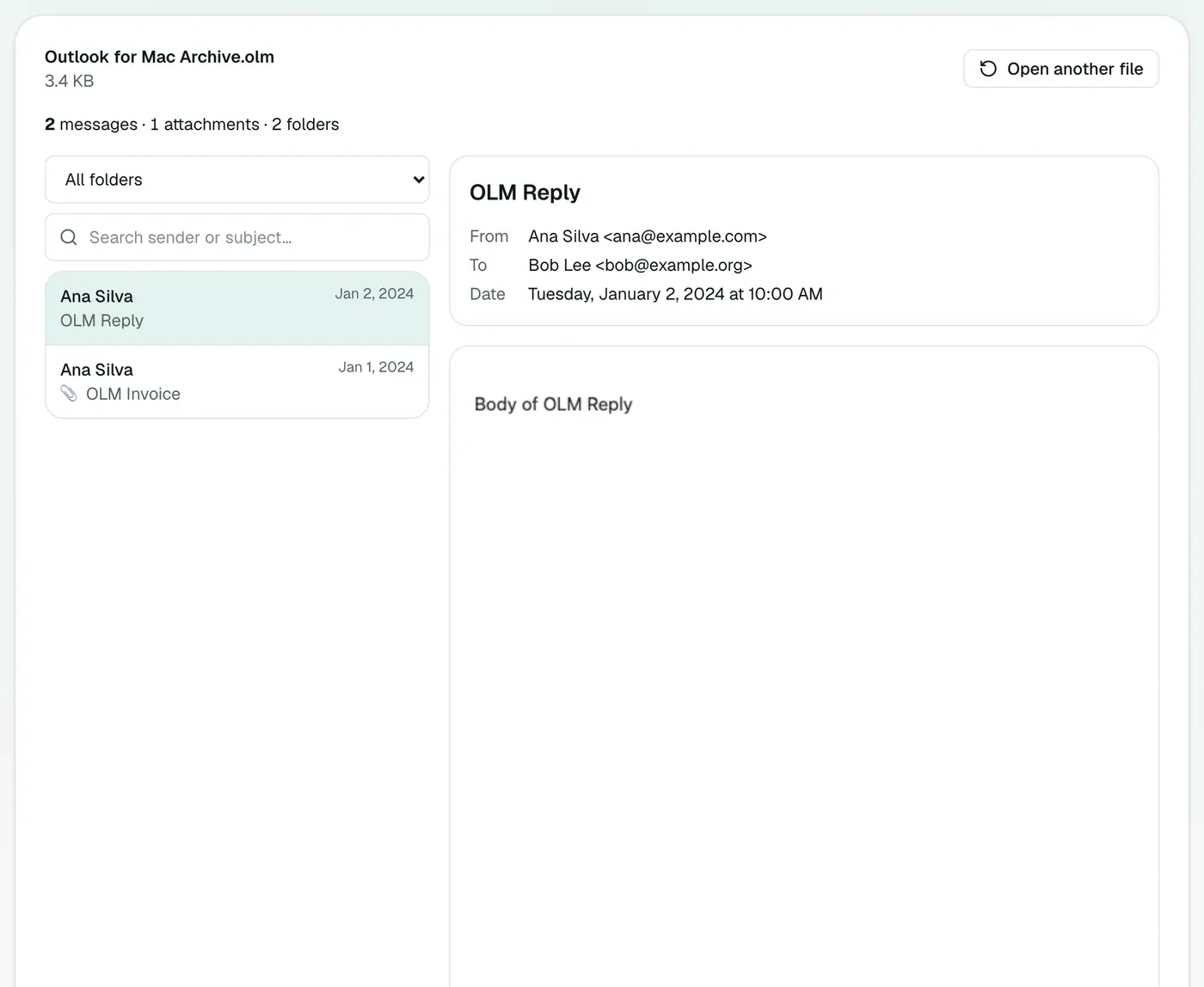
Drop the .olm file on the box. The viewer shows how many messages, attachments and folders it found, then lists the emails, newest first.
- Folder list: jump straight to Inbox, Sent Items or any subfolder.
- Search: type a name, an email address or words from a subject.
- 📎 icon: marks emails with attachments.
Click an email to read it with its full header (From, To, Cc, Date) and formatting, and to download its attachments.
Viewing vs converting
The viewer is for reading. If you need the emails somewhere else, convert them instead:
| You want to… | Use |
|---|---|
| Keep a printable record | OLM to PDF |
| Open emails in Outlook for Windows or Thunderbird | OLM to EML |
| Import everything into Apple Mail | OLM to MBOX |
| Sort and filter in Excel | OLM to CSV |
| See counts per folder, year and sender | PST Analyzer (accepts OLM too) |
Tips
- Large archive? The list shows the first 1,000 matches. Narrow it down with the folder list or search.
- Private by design. Because the archive is never uploaded, it's safe for HR, legal or medical correspondence.
- Still have Outlook for Mac? Export only Mail (untick calendar, contacts, tasks and notes) for a smaller, faster file.
Troubleshooting
"This isn't a valid Outlook for Mac archive." The file is probably incomplete. A download or USB copy that stopped part-way leaves a broken ZIP. Copy it again from the source.
"No emails were found." The export may only contain contacts or calendar items. Re-export with Mail ticked.
It's slow to open. Every message has to be unpacked in the browser. Multi-gigabyte archives take a while, and close other heavy tabs first.
Summary
The OLM viewer makes Outlook for Mac archives readable on Windows and everywhere else, privately and without installing anything.
FAQs
Can Outlook for Windows open OLM?
No. OLM is specific to Outlook for Mac. Outlook for Windows only imports PST, and there's no built-in OLM option in either classic or new Outlook.
Can I search?
Yes. Pick a folder from the list and search by sender, recipient or subject.
Can I save attachments?
Yes. Open an email and download its attachments one by one. To get every email as a separate file with attachments, use OLM to EML.
Is the archive uploaded?
No. It's read in your browser, on your own computer. Nothing is sent to a server.
Does it show contacts and calendar items?
The viewer shows emails. Contacts, calendar events, tasks and notes in the archive are skipped.
Can I open an OLM file without Outlook on a Mac?
Yes. The viewer works the same on a Mac, so you don't need an Outlook licence just to read an old export.
Try the OLM Viewer
Free to start, no install, and your files never leave your device.