Viewers2 min read
How to Open a PST File Without Outlook (Mac, PC or Phone)
Browse every folder of an Outlook PST, search by sender or subject, read emails and download attachments in your browser. No Outlook, no upload.
By the ZapMorph team
On this page
Just want it done?
Open the PST Viewer — it runs in your browser and nothing is uploaded.
You've inherited an old archive.pst, or you've moved to a Mac and found your Outlook data file on a backup drive. Outlook for Mac can't simply open a PST, and you may not even have Outlook anymore. The PST viewer lets you browse it like a mailbox.
What is a PST file?
A PST (Personal Storage Table) is Outlook for Windows' data file. It holds emails, attachments, contacts and calendar items in one file. You'll usually come across one when:
- Outlook archived old mail automatically (
archive.pst). - Someone exported a mailbox with File → Open & Export → Import/Export.
- A POP3 account stored everything locally in Outlook.
- IT handed over a departed colleague's mailbox.
How to open a PST with ZapMorph
1. Open the PST viewer
Go to the PST viewer. It runs in Chrome, Edge, Safari and Firefox, on Windows, Mac, Linux, ChromeOS and even tablets.
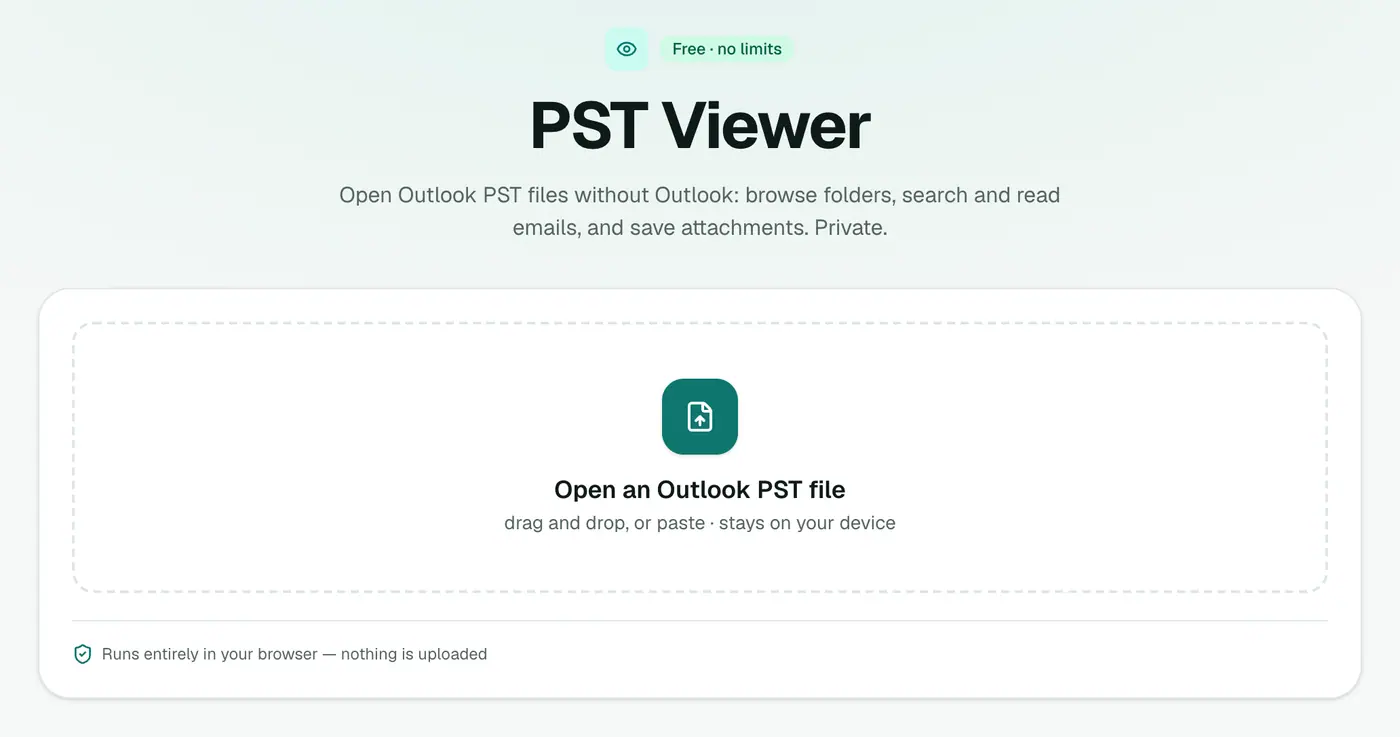
2. Open your PST
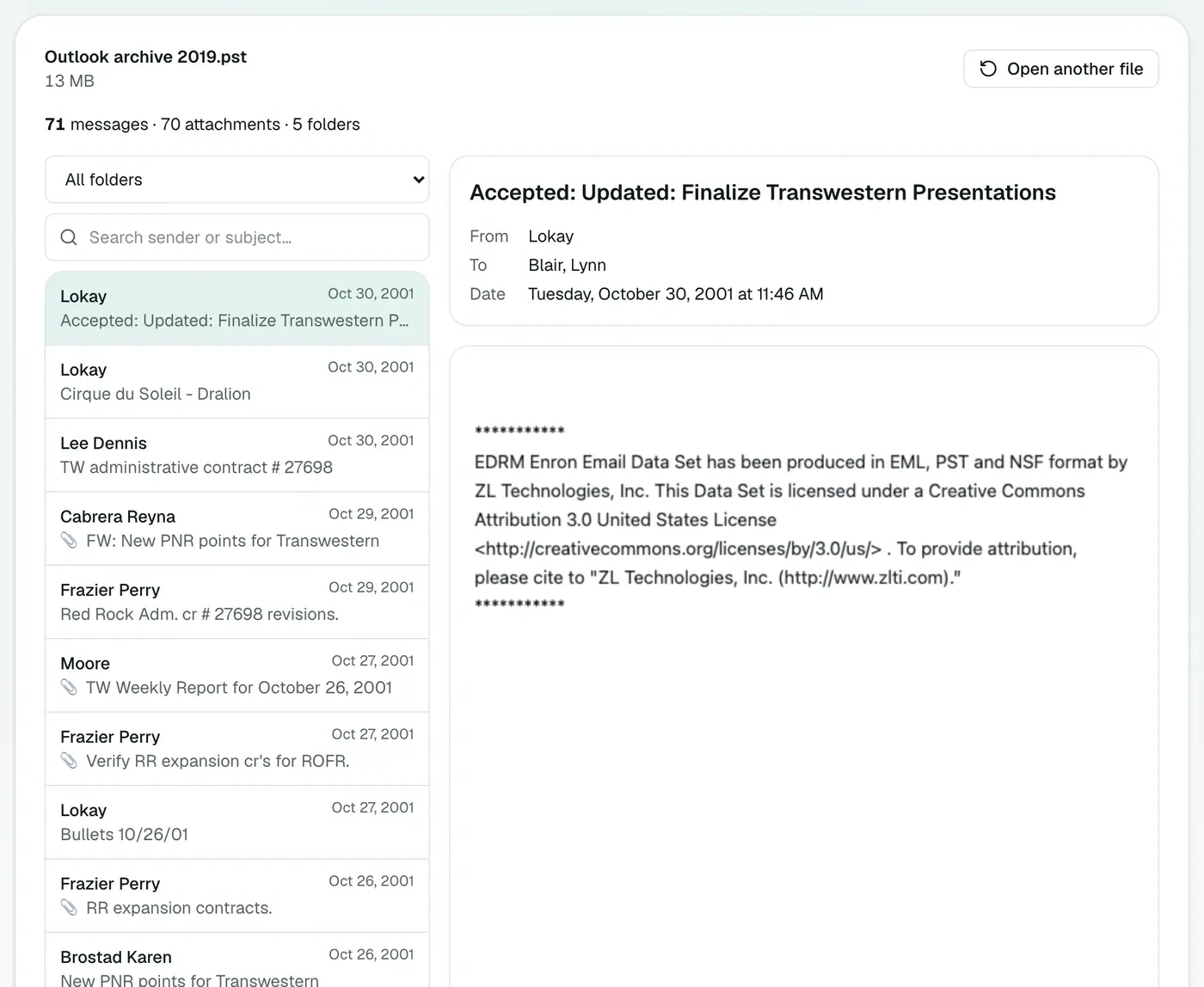
Drop the .pst on the box. You'll see how many emails, attachments and folders it holds, then:
- Pick a folder (Inbox, Sent Items, any subfolder) from the list.
- Search by sender, recipient or subject.
- Click an email to read it with its formatting and header.
- Download attachments straight from the message.
Where PST files are usually stored
| Outlook version | Default location |
|---|---|
| Outlook 2013 and later | Documents\Outlook Files\ |
| Outlook 2007 and 2010 | %localappdata%\Microsoft\Outlook\ |
Not there? Search File Explorer for *.pst. Close Outlook before copying a PST, because it locks files that are open.
Other ways to open a PST, compared
| Method | Needs | Downsides |
|---|---|---|
| PST viewer | A browser | Read-only |
| Outlook for Windows (File → Open & Export → Open Outlook Data File) | Outlook licence, Windows | Adds it to your profile |
| Legacy Outlook for Mac import | Outlook for Mac | Copies everything into your mailbox |
| Paid desktop PST viewers | Installation | Cost, and you're trusting third-party software |
Next steps
- Want an overview first? The PST analyzer shows counts by folder, year and sender.
- Export it: PST to PDF, PST to MBOX, PST to vCard, PST to ICS.
Troubleshooting
"Password-protected." Open the PST in Outlook for Windows and remove its password under Account Settings → Data Files → Settings → Change Password.
"Isn't a readable Outlook data file." The file is damaged or incomplete. Run Microsoft's Inbox Repair Tool (scanpst.exe, in Office's install folder) on a copy, then try again.
Only 1,000 emails listed. That's the display limit. Filter by folder or search to see the rest.
Summary
The PST viewer opens Outlook archives on any device, without Outlook and without uploading your mail.
FAQs
Do I need Outlook?
No. The PST is read in your browser on any computer.
Can I search?
Yes, by sender, recipient or subject, and you can filter by folder.
Can I save attachments?
Yes, from each message.
How large a PST can it open?
That depends on your device's memory and your plan's file size limit. Multi-gigabyte PSTs work best on a computer with plenty of RAM.
Can Outlook for Mac open a PST?
Legacy Outlook for Mac can only import a PST into your mailbox, and the new Outlook for Mac has no PST import. Neither lets you just open and browse one.
Is the PST uploaded?
No. It's read entirely in your browser. Nothing is sent to a server.
Are contacts and calendar items shown?
The viewer shows emails. To export contacts use PST to vCard; for calendar items use PST to ICS.
Try the PST Viewer
Free to start, no install, and your files never leave your device.