Email2 min read
How to Export Outlook Contacts From a PST to vCard (VCF)
Rescue the address book from an old Outlook PST file and get it onto your iPhone, Android, Gmail or any contacts app as a single VCF file. No Outlook needed.
By the ZapMorph team
On this page
Just want it done?
Open the PST to vCard Converter — it runs in your browser and nothing is uploaded.
The address book you built up over a decade of Outlook use is sitting inside a PST file, and you've moved to a phone, Gmail or a Mac. Outlook's own export would get it out, if you still had Outlook.
What's in each contact
| Exported | Notes |
|---|---|
| Full name, first and last name | |
| Phone numbers | Mobile, work, home and others |
| Email addresses | Up to three per contact |
| Company and job title | |
| Address | One per contact (work, home or other) |
| Birthday | |
| Notes |
How to export PST contacts with ZapMorph
1. Open the converter
Go to the PST to vCard converter.
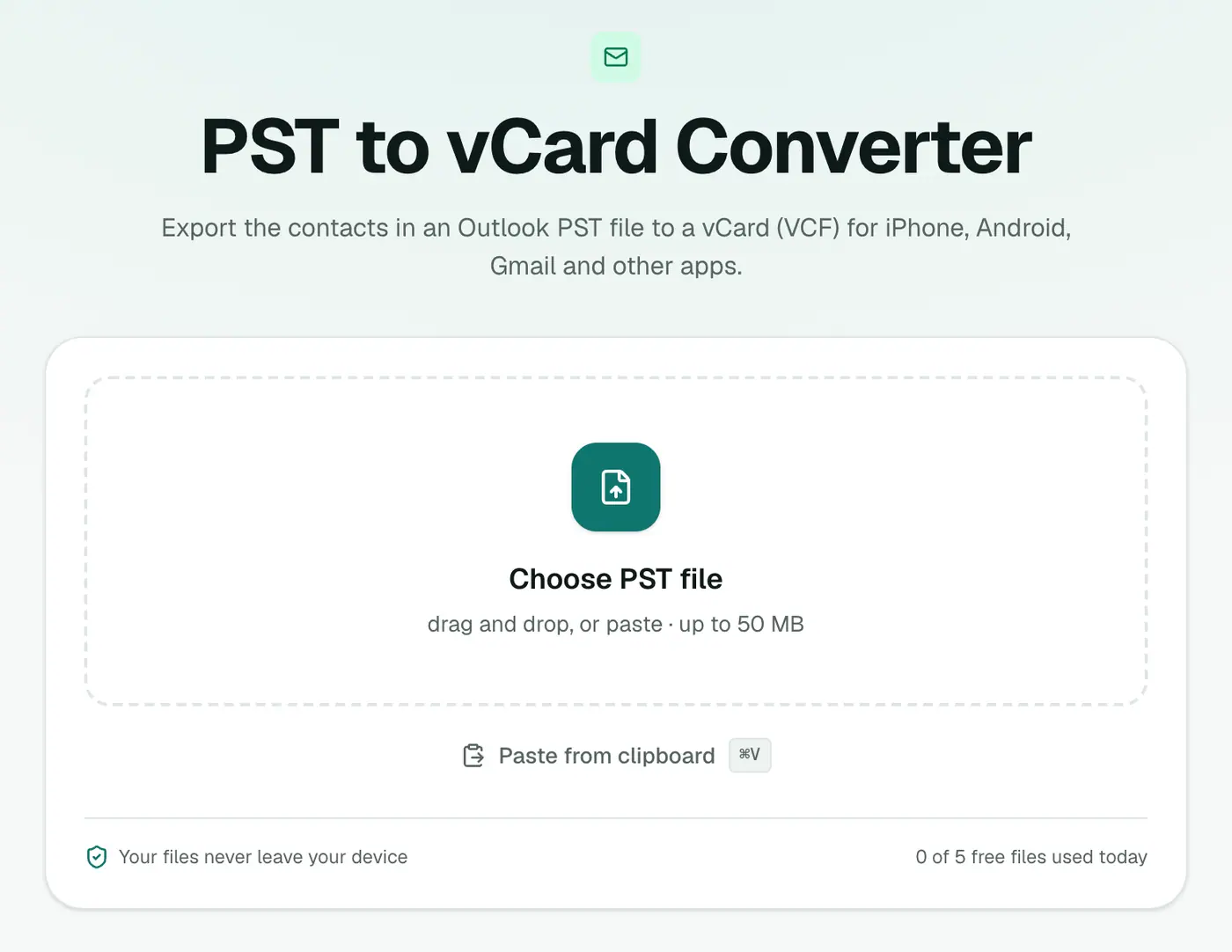
2. Add your PST
Drop in the .pst file. Close Outlook first if it has the PST open.
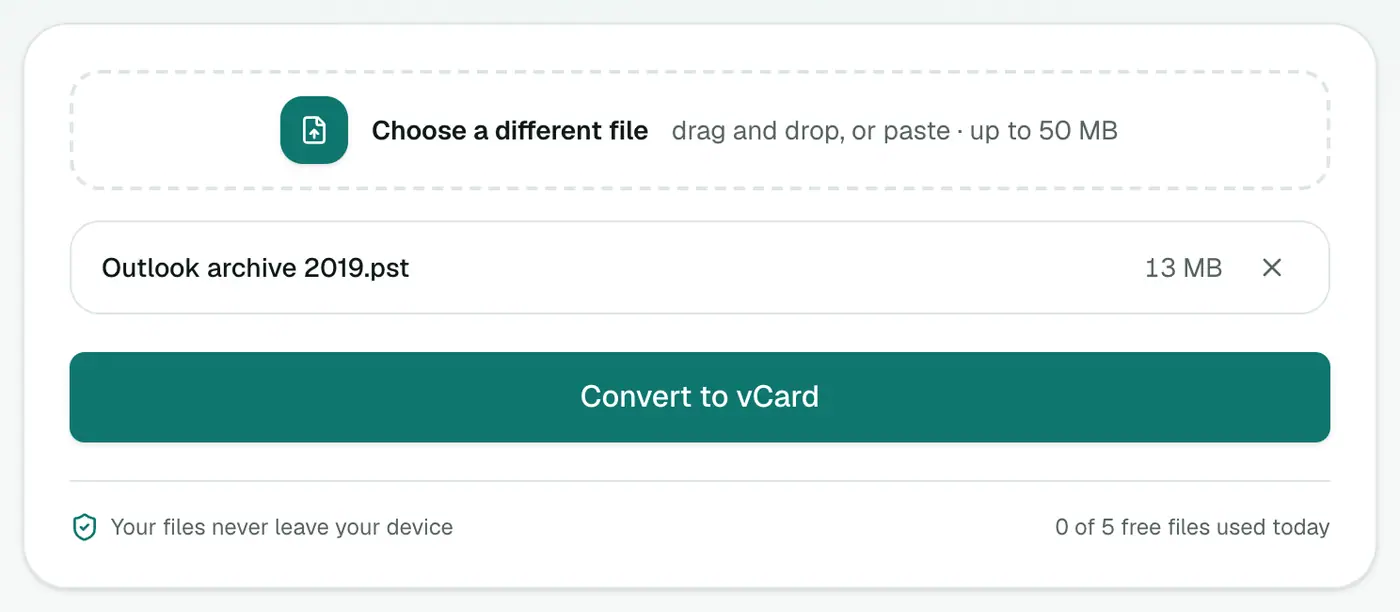
3. Convert and download
Click Convert to vCard. Every contact goes into one .vcf file.
Importing the VCF
- Google Contacts: contacts.google.com → Import → choose the file.
- iPhone: AirDrop or email the VCF to yourself, tap it, then Add All Contacts. Or use icloud.com → Contacts → ⚙ → Import vCard.
- Android: open the Contacts app → Settings → Import → choose the file.
- Mac Contacts app: File → Import, then choose the file.
- Outlook.com: People → Manage → Import contacts.
Tips
- Check before importing with the vCard viewer.
- Clean up in Excel first? vCard to Excel, tidy up, then Excel to vCard.
- Import into a test group first, so duplicates are easy to remove if something goes wrong.
- Merge duplicates afterwards. Google Contacts (Merge & fix) and the iPhone (Contacts → Duplicates Found) both spot them automatically.
Troubleshooting
"No contacts were found." The PST has no Contacts folder. archive.pst files usually only hold old mail. Look for the main PST from the same Outlook, often in Documents\Outlook Files.
Some contacts have no name. Outlook allowed contacts with only a company or an email address. These are exported using whatever is available.
"Password-protected." Remove the PST password in Outlook first.
Summary
The PST to vCard converter gets your Outlook contacts out of an old data file and onto any modern device.
FAQs
Which contacts are exported?
Every contact in every Contacts folder of the PST: names, phone numbers, emails, company, job title, address, birthday and notes.
How do I import the VCF into Google Contacts?
Go to contacts.google.com, click Import, choose the VCF file.
How do I import it on an iPhone?
Email the VCF to yourself or AirDrop it, tap it, and choose Add All Contacts. Or import it at icloud.com/contacts.
Which vCard version is used?
vCard 3.0, which Google, Apple, Android and Outlook.com all import.
Are contact photos and distribution lists included?
No. Photos and contact groups aren't exported, only individual contacts and their details.
Is the PST uploaded?
No. Contacts are extracted in your browser.
Try the PST to vCard Converter
Free to start, no install, and your files never leave your device.