Email2 min read
How to Export an Outlook PST Calendar to ICS (Google, Apple, Outlook.com)
Rescue meetings and appointments from an old Outlook PST and import them into Google Calendar, Apple Calendar or Outlook.com as an .ics file. No Outlook needed.
By the ZapMorph team
On this page
Just want it done?
Open the PST to ICS Converter — it runs in your browser and nothing is uploaded.
Years of appointments, anniversaries and recurring meetings can be locked inside a PST. Getting them into Google or Apple Calendar keeps your history, or lets you hand someone a calendar export.
What gets exported
| Kept | Not kept |
|---|---|
| Title | Attendee lists and responses |
| Start and end time | Repeat rules (series come through as one event) |
| Location | Reminders |
| Notes / description | Attachments on appointments |
Meeting requests in your mail folders are included too, so you also get meetings you were invited to.
How to convert PST to ICS with ZapMorph
1. Open the converter
Go to the PST to ICS converter.
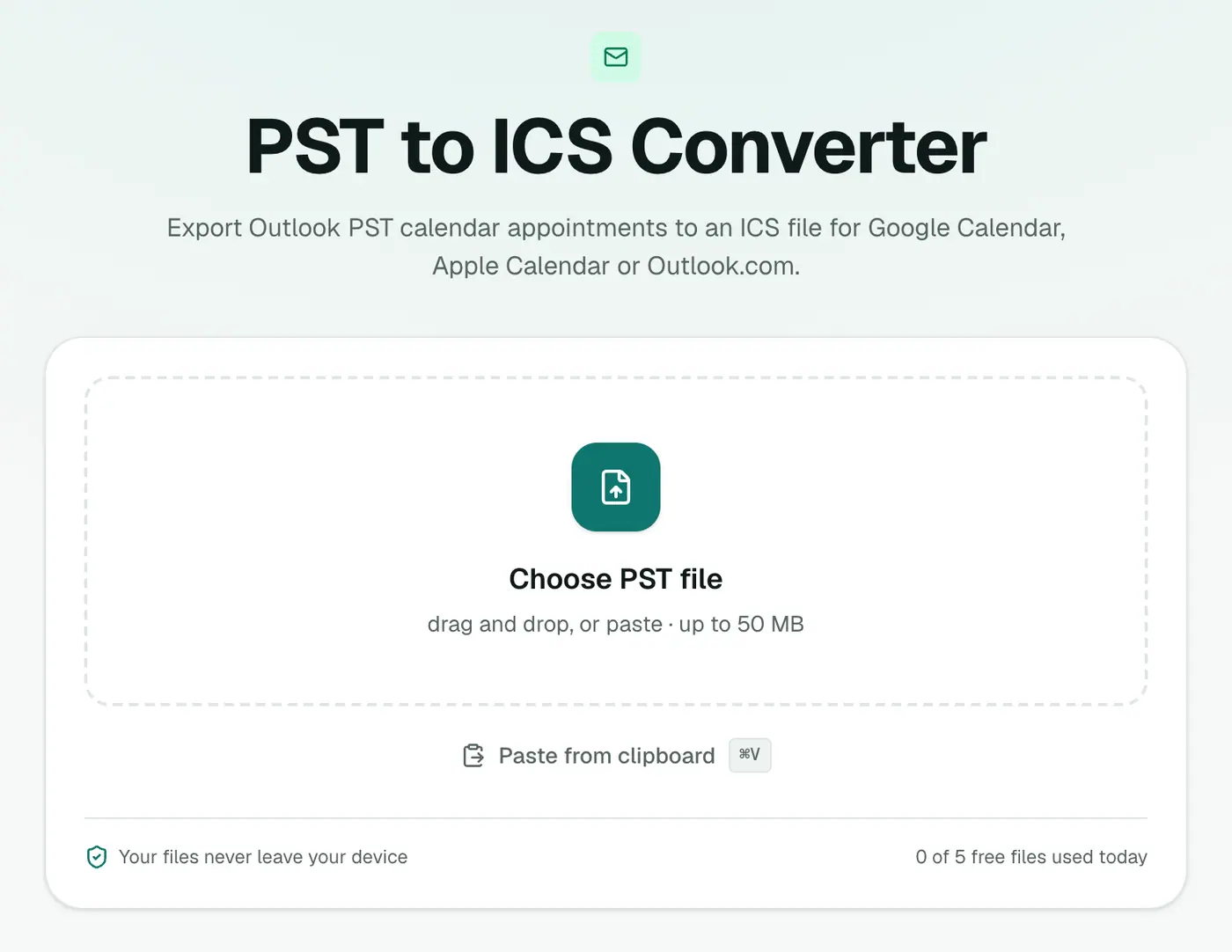
2. Add your PST
Drop in the .pst file. Close Outlook first if the PST is open in it.
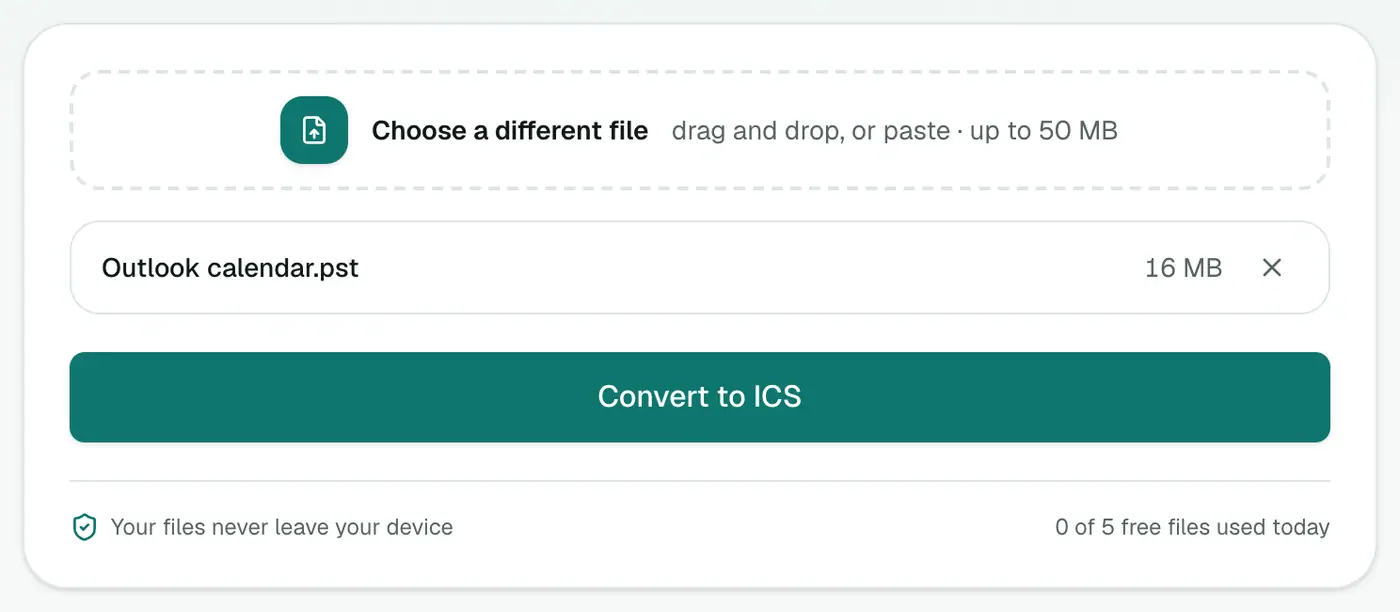
3. Convert and download
Click Convert to ICS. You'll get one file named after the PST, ending in -calendar.ics.
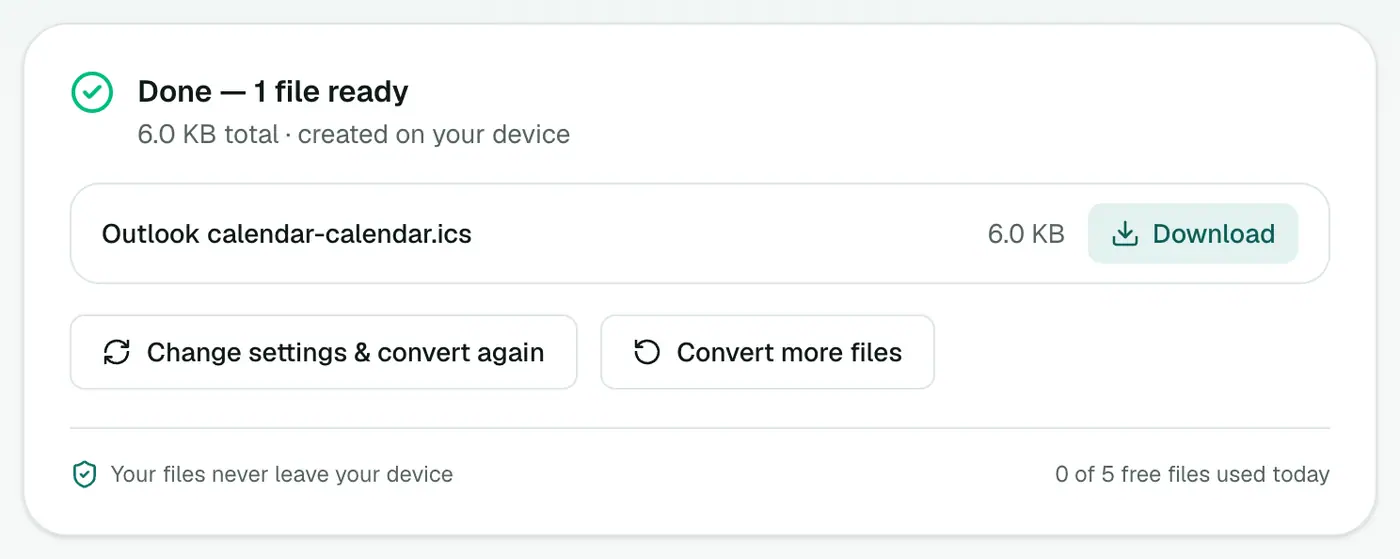
Importing the ICS
- Google Calendar: Settings → Import & export → Import. Tip: create a new calendar called "Outlook archive" first and import into that, so you can hide or delete it in one click.
- Apple Calendar: File → Import and choose the file. Pick New Calendar when asked, for the same reason.
- Outlook.com: Add calendar → Upload from file.
- iPhone / iPad: import on a computer into iCloud Calendar, and it syncs to your phone.
Tips
- Preview first with the ICS viewer.
- Need a list for timesheets? Convert to Excel instead.
- How many items are there? The PST analyzer counts calendar items before you convert.
- Recurring meetings: after importing, re-create any series you still need, such as weekly one-to-ones or birthdays, using your calendar's repeat option.
Troubleshooting
"No calendar items were found." The PST has no appointments. This is common for archive.pst files that only hold old mail. Check whether there's another PST from the same Outlook.
All-day events show at midnight. Some all-day items arrive as timed events. Open them and tick All day.
"Password-protected." Remove the PST password in Outlook first.
Summary
The PST to ICS converter pulls your appointments out of an Outlook archive into a calendar file any app can import.
FAQs
What details are kept?
The title, start and end time, location and notes of each calendar item.
How do I import it into Google Calendar?
In Google Calendar on the web, go to Settings → Import & export → Import, choose the .ics file and the calendar to add it to.
Will imported events send invitations?
Importing an .ics file normally adds events quietly without emailing attendees. It's still wise to import into a separate calendar first.
Are recurring meetings kept as a series?
No. A recurring meeting comes through as a single event at its first occurrence. Recreate important series by hand in your new calendar.
Which time zone are events in?
Times are saved in UTC, and your calendar app shows them in your own time zone, so a 10:00 meeting still appears at 10:00 local time.
Is the PST uploaded?
No. The calendar is extracted in your browser.
Try the PST to ICS Converter
Free to start, no install, and your files never leave your device.