Audio & video2 min read
How to Convert M4A to MP3 (iPhone Voice Memos and More)
iPhone voice memos and iTunes downloads are M4A. Convert them to MP3 for older players, car stereos, websites and apps that only take MP3. Private, batch.
By the ZapMorph team
On this page
Just want it done?
Open the M4A to MP3 Converter — it runs in your browser and nothing is uploaded.
M4A is Apple's preferred audio format: iPhone Voice Memos, GarageBand exports, iTunes purchases. It sounds great and is widely supported, but not universally. Older car stereos, some podcast hosts, a few web forms and plenty of hardware players only take MP3.
How to convert M4A to MP3 with ZapMorph
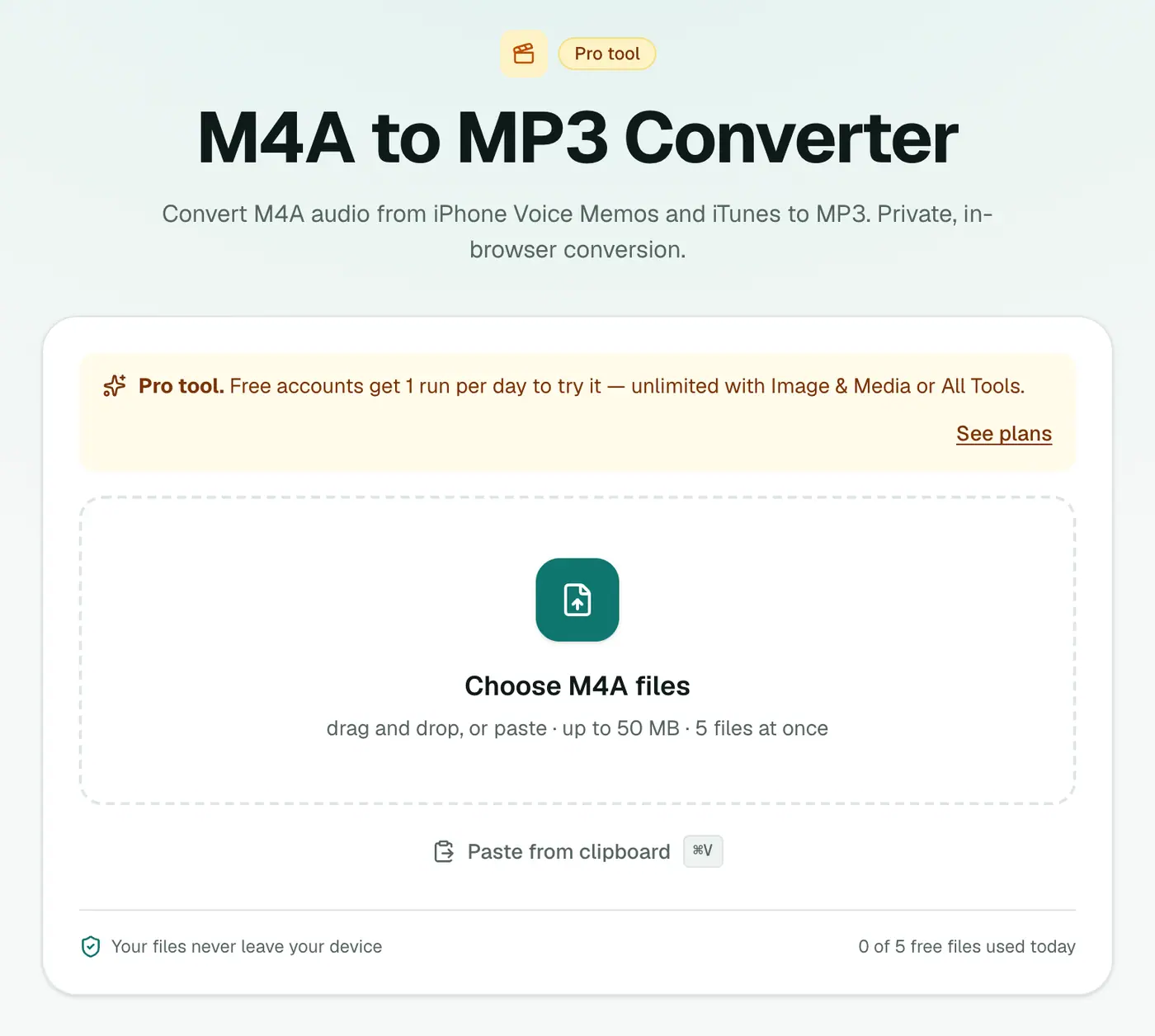
1. Open the converter
Go to the M4A to MP3 converter.
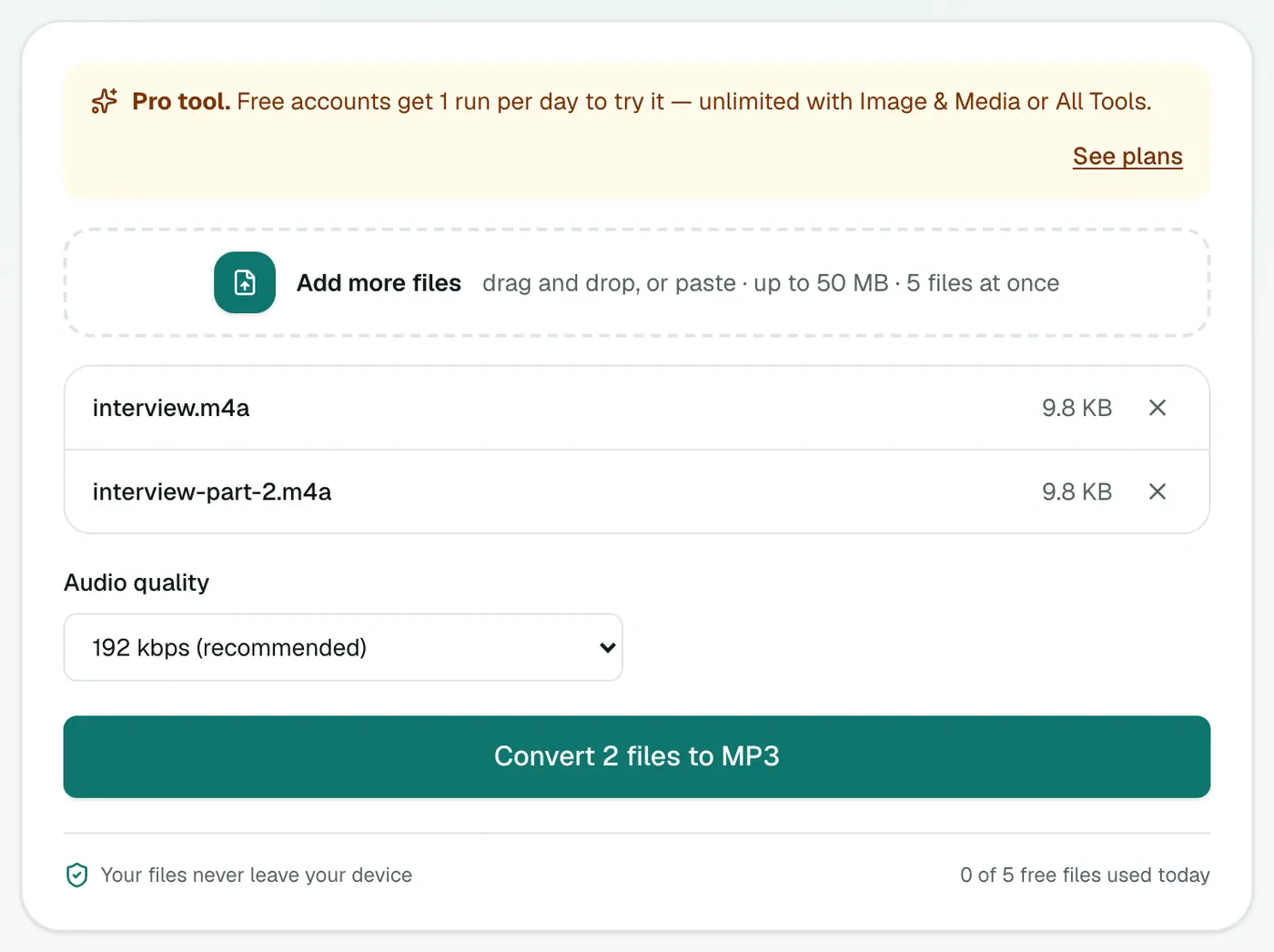
2. Add files and pick a bitrate
Drop in your .m4a or .aac files and choose 128 kbps (voice) or 192 kbps (music).
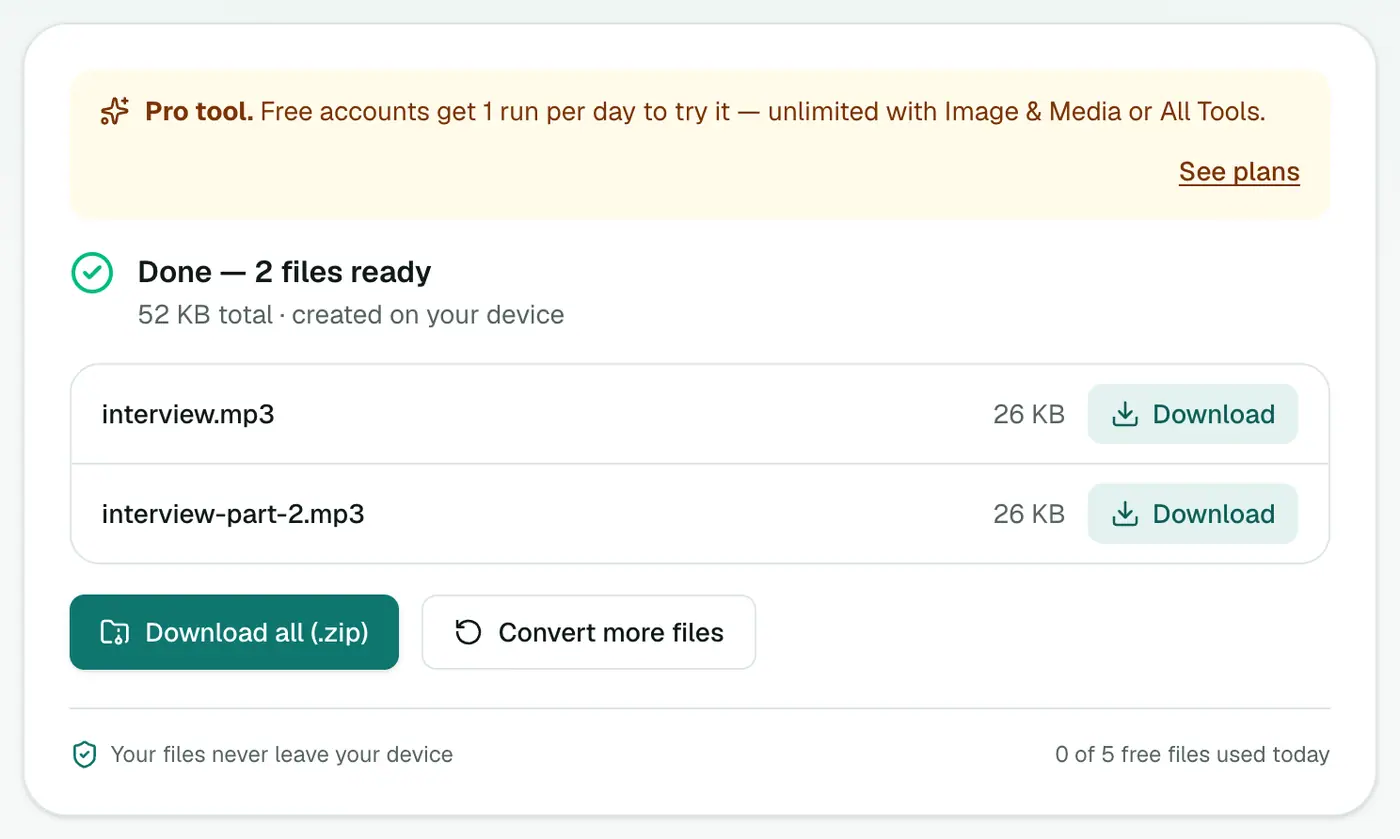
3. Convert and download
Click Convert to MP3.
Getting Voice Memos off your iPhone
Open Voice Memos, tap a recording, tap ⋯ → Share and send it to yourself by AirDrop, email or Files. On a Mac, Voice Memos syncs through iCloud. Drag recordings out of the Voice Memos app into Finder.
On Windows: there's no Voice Memos app, so use Save to Files → iCloud Drive on the iPhone and download from icloud.com.
Where MP3 is still required
| Where | Why MP3 |
|---|---|
| Older car stereos and USB players | No AAC decoder |
| Some podcast hosts and radio uploads | MP3-only upload forms |
| Online forms (courses, auditions) | Accept "MP3 only" |
| Telephone systems (hold music, IVR) | Often MP3 or WAV |
| Very old MP3 players | MP3 only |
Tips
- Don't convert just because. If your device plays M4A, leave it. Converting one lossy format to another loses a little quality.
- Need to edit the audio? M4A to WAV gives you an uncompressed copy.
- Rename memos before converting. "New Recording 37" isn't helpful in six months.
Troubleshooting
"Can't convert" for an old iTunes song. It's a protected .m4p file. Apple removed DRM from iTunes purchases in 2009; older songs may need re-downloading from your purchase history to get a DRM-free copy.
Apple Music downloads won't convert. Streaming downloads are protected and can only play inside Apple Music.
Summary
For players and apps that insist on MP3, the M4A to MP3 converter does the job in your browser.
FAQs
Why are my iPhone voice memos M4A?
Apple saves Voice Memos as M4A (AAC audio in an MP4 container). It's efficient and high quality, but some apps and devices only accept MP3.
Can I convert songs bought from iTunes?
Songs purchased since 2009 are DRM-free M4A and convert fine. Older protected .m4p files and Apple Music downloads can't be converted.
Which quality should I use?
192 kbps is a good default. For voice memos, 128 kbps is plenty.
Is it free?
Yes, once a day: one file up to 25 MB with no account. A free account gets one Pro tool run a day, and paid plans are unlimited.
Can I convert .aac files too?
Yes. Raw .aac files from dictaphones and some apps are accepted alongside .m4a.
Are my recordings uploaded?
No. They're converted in your browser.
Try the M4A to MP3 Converter
Free to start, no install, and your files never leave your device.